
README.md
| @@ -20,6 +20,8 @@ Be sure that the Executable is already set to the installed Ubisoft Connect, not | |||
| 20 | 20 | ||
| 21 | 21 | ## Play | |
| 22 | 22 | ||
| 23 | + | In Lutris, create a Steam shortcut so that you can access it via Game Mode on the Steam Deck. I would recommend you play in Game Mode, as controls are wonky in Desktop mode. | |
| 24 | + | ||
| 23 | 25 | Run the Ubisoft Connect and the launcher should boot as normal. Login to your Ubisoft account and install Watch Dogs 2 and DLCs(if you have them). | |
| 24 | 26 | ||
| 25 | 27 | > This guide may also work for other games installed via Ubisoft Connect, but not tested in this case, only Watch Dogs 2 and it's DLCs. | |
README.md
| @@ -1,30 +1,25 @@ | |||
| 1 | - | 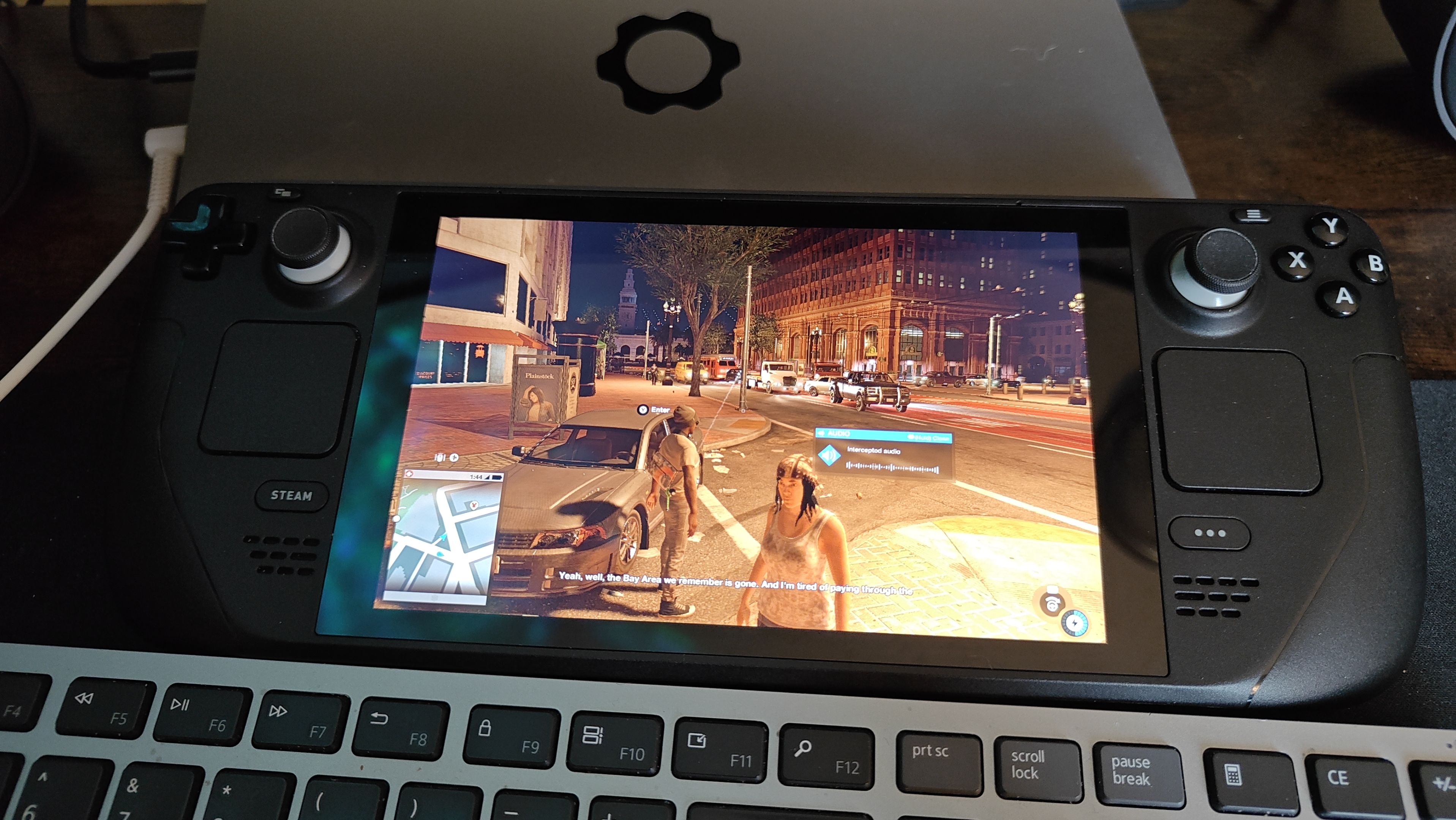 | |
| 1 | + | # Playing Watch Dogs 2 on Steam Deck (Ubisoft Connect) | |
| 2 | 2 | ||
| 3 | - | For last resort only if all other methods to boot Watch Dogs 2 fails on the Steam Deck. This already assumes you own Watch Dogs(WD1) and Watch Dogs 2(WD2). In my case, I own WD1 via Steam and WD2 via Ubisoft Connect. | |
| 3 | + | This guide assumes you already installed Ubisoft Connect via Lutris. | |
| 4 | 4 | ||
| 5 | - | I've only been able to get WD1 to boot via Steam client and all other methods to boot WD2 do not work as Ubisoft Connect tends to crash on boot. | |
| 5 | + | ## Configuration | |
| 6 | 6 | ||
| 7 | - | Instead, since I am no longer interested in playing WD1, I went ahead and swap out the files in the Steam folder for WD1 with WD2, also making sure the executable still matches the target path so Steam boots it. This appears to work in tricking Steam to boot WD2 without issue and Ubisoft Connects boots properly. | |
| 7 | + | **Game options** | |
| 8 | 8 | ||
| 9 | - | ### File Structure | |
| 9 | + | Be sure that the Executable is already set to the installed Ubisoft Connect, not the installer itself. | |
| 10 | 10 | ||
| 11 | - | This is in `./steamsapps/common/Watch_Dogs/`, I moved original WD1 files completedly somewhere else. | |
| 11 | + | **Runner options** | |
| 12 | 12 | ||
| 13 | - | ``` | |
| 14 | - | └── Watch_Dogs/ | |
| 15 | - | ├── bin/ | |
| 16 | - | │ └── watch_dogs.exe <-- WatchDogs2.exe renamed to watch_dogs.exe(for Steam) | |
| 17 | - | └── WATCH_DOGS2/ | |
| 18 | - | ├── EasyAntiCheat | |
| 19 | - | ├── bin | |
| 20 | - | ├── Support | |
| 21 | - | ├── bin | |
| 22 | - | ├── bin_plus | |
| 23 | - | ├── data_win64 | |
| 24 | - | ├── uplay_download | |
| 25 | - | ├── EAC.exe | |
| 26 | - | ├── uplay_install.manifest | |
| 27 | - | └── uplay_install.state | |
| 28 | - | ``` | |
| 13 | + | - Set Wine version to **Proton 9.0 (Beta)**. | |
| 29 | 14 | ||
| 30 | - | When booting, install Watch Dogs 2 on Ubisoft Connect and set the install path here. The installer will discover the files and will see that the Watch Dogs 2 files are already install and you'll be ready to play once it's done scanning(2 - 5 minutes). | |
| 15 | + | ||
| 16 | + | **System Options** | |
| 17 | + | ||
| 18 | + | - Set variable `UMU_NO_RUNTIME` to `1` in Environment variables. | |
| 19 | + | - Disable Lutrus Runtime. | |
| 20 | + | ||
| 21 | + | ## Play | |
| 22 | + | ||
| 23 | + | Run the Ubisoft Connect and the launcher should boot as normal. Login to your Ubisoft account and install Watch Dogs 2 and DLCs(if you have them). | |
| 24 | + | ||
| 25 | + | > This guide may also work for other games installed via Ubisoft Connect, but not tested in this case, only Watch Dogs 2 and it's DLCs. | |
README.md
| @@ -1,3 +1,5 @@ | |||
| 1 | + |  | |
| 2 | + | ||
| 1 | 3 | For last resort only if all other methods to boot Watch Dogs 2 fails on the Steam Deck. This already assumes you own Watch Dogs(WD1) and Watch Dogs 2(WD2). In my case, I own WD1 via Steam and WD2 via Ubisoft Connect. | |
| 2 | 4 | ||
| 3 | 5 | I've only been able to get WD1 to boot via Steam client and all other methods to boot WD2 do not work as Ubisoft Connect tends to crash on boot. | |
README.md
| @@ -23,4 +23,6 @@ This is in `./steamsapps/common/Watch_Dogs/`, I moved original WD1 files complet | |||
| 23 | 23 | ├── EAC.exe | |
| 24 | 24 | ├── uplay_install.manifest | |
| 25 | 25 | └── uplay_install.state | |
| 26 | - | ``` | |
| 26 | + | ``` | |
| 27 | + | ||
| 28 | + | When booting, install Watch Dogs 2 on Ubisoft Connect and set the install path here. The installer will discover the files and will see that the Watch Dogs 2 files are already install and you'll be ready to play once it's done scanning(2 - 5 minutes). | |
README.md(файл создан)
| @@ -0,0 +1,26 @@ | |||
| 1 | + | For last resort only if all other methods to boot Watch Dogs 2 fails on the Steam Deck. This already assumes you own Watch Dogs(WD1) and Watch Dogs 2(WD2). In my case, I own WD1 via Steam and WD2 via Ubisoft Connect. | |
| 2 | + | ||
| 3 | + | I've only been able to get WD1 to boot via Steam client and all other methods to boot WD2 do not work as Ubisoft Connect tends to crash on boot. | |
| 4 | + | ||
| 5 | + | Instead, since I am no longer interested in playing WD1, I went ahead and swap out the files in the Steam folder for WD1 with WD2, also making sure the executable still matches the target path so Steam boots it. This appears to work in tricking Steam to boot WD2 without issue and Ubisoft Connects boots properly. | |
| 6 | + | ||
| 7 | + | ### File Structure | |
| 8 | + | ||
| 9 | + | This is in `./steamsapps/common/Watch_Dogs/`, I moved original WD1 files completedly somewhere else. | |
| 10 | + | ||
| 11 | + | ``` | |
| 12 | + | └── Watch_Dogs/ | |
| 13 | + | ├── bin/ | |
| 14 | + | │ └── watch_dogs.exe <-- WatchDogs2.exe renamed to watch_dogs.exe(for Steam) | |
| 15 | + | └── WATCH_DOGS2/ | |
| 16 | + | ├── EasyAntiCheat | |
| 17 | + | ├── bin | |
| 18 | + | ├── Support | |
| 19 | + | ├── bin | |
| 20 | + | ├── bin_plus | |
| 21 | + | ├── data_win64 | |
| 22 | + | ├── uplay_download | |
| 23 | + | ├── EAC.exe | |
| 24 | + | ├── uplay_install.manifest | |
| 25 | + | └── uplay_install.state | |
| 26 | + | ``` | |